
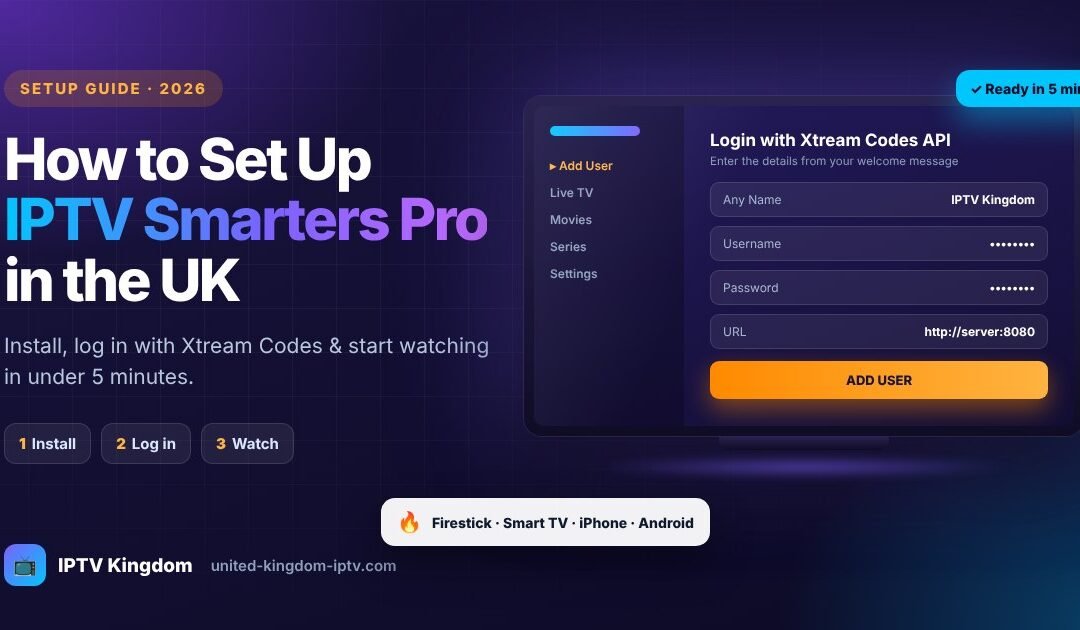
⚡ KEY TAKEAWAYS
- IPTV Smarters Pro is a free media player: it does not include channels. You need an active IPTV UK subscription to watch.
- The fastest way to log in is Login with Xtream Codes API, using the username, password and server URL we send you.
- It works on Firestick, Android TV, Android phones, iPhone, iPad, Windows and Mac.
- Setup takes less than 5 minutes, and our team can guide you live on WhatsApp.
📑 Table of contents
- What is IPTV Smarters Pro?
- What you need before you start
- Step 1: Get your IPTV UK subscription
- Step 2: Install the app on your device
- Step 3: Activate with Xtream Codes
- Alternative: log in with an M3U link
- Load the TV guide (EPG)
- Best settings for smooth streaming
- Troubleshooting common problems
- Which subscription should you choose?
- FAQ
If you've just ordered an IPTV UK subscription, or you're thinking about it, you'll probably want to watch it with IPTV Smarters Pro. It's one of the most popular IPTV players in the United Kingdom thanks to its clean interface, built-in TV guide and support for almost every device.
In this complete guide, we'll show you exactly how to install IPTV Smarters Pro and how to activate your subscription, device by device, with simple, easy-to-follow steps. By the end, you'll be watching live UK channels, films and series on your big screen.
1What is IPTV Smarters Pro?
IPTV Smarters Pro is a video player app designed to stream live TV, films and series delivered over the internet. Think of it like a DVD player: the player is free, but you need a disc to watch something. In this case, the "disc" is your premium IPTV subscription.
Once you enter your subscription details, the app organises everything into clear sections:
- Live TV: UK and international channels sorted by category.
- Movies: an on-demand film library with posters and descriptions.
- Series: complete seasons and episodes, ready to binge.
- Catch Up: replay programmes on supported channels.
- EPG: a full TV guide showing what's on now and next.
Important: IPTV Smarters Pro does not provide any channels or content by itself. To watch TV, you need a subscription from a provider such as IPTV Kingdom.
2What you need before you start
Before setting up IPTV Smarters Pro, make sure you have:
- A compatible device: Amazon Firestick, Android TV box, Android Smart TV, smartphone, tablet, iPhone, iPad or computer.
- A stable internet connection: at least 15 Mbps for HD and 25 Mbps for 4K. A wired Ethernet connection gives the best results.
- An active IPTV subscription with your login details: username, password and server URL.
3Step 1: Get your IPTV UK subscription
The first step is choosing a subscription. At IPTV Kingdom, every plan includes the full catalogue: 36,000+ live channels, 260,000+ films and series, selected 4K UHD content, EPG and catch-up where available. The only difference is how long you want to watch and how many screens you need.
- Choose your planPick a single-screen plan (1, 3, 6 or 12 months) or a multi-screen plan (2, 3 or 4 screens) on our pricing page.
- Place your orderComplete the checkout with your name and email address.
- Receive your payment linkContact us on WhatsApp or by email to receive your secure payment link.
- Get your login detailsOnce payment is confirmed, we send your username, password and server URL with setup instructions.
Premium IPTV UK from just £5.42/month
Save up to 73% with our 12-month plan. Same full catalogue on every plan, instant activation and WhatsApp setup help included.
4Step 2: Install IPTV Smarters Pro on your device
Choose your device below to jump straight to the right instructions:
🔥 How to install IPTV Smarters Pro on Firestick
The Amazon Firestick is the most popular device for IPTV in the UK. Because IPTV Smarters Pro isn't in the Amazon Appstore, you'll install it with the free Downloader app.
- Enable Developer OptionsGo to
Settings → My Fire TV → Aboutand click on your device name 7 times until you see "You are now a developer". - Allow apps from unknown sourcesGo back to
My Fire TV → Developer Optionsand turn on Install unknown apps for Downloader (or "Apps from Unknown Sources" on older models). - Install DownloaderFrom the Firestick home screen, search for Downloader and install the official app by AFTVnews.
- Download IPTV Smarters ProOpen Downloader and enter the download address from the official IPTV Smarters website. Our team can send you the correct link on WhatsApp.
- Install the appWhen the file finishes downloading, click Install, then Open. You can delete the installation file afterwards to free up space.
Tip: long-press the Home button on your remote, choose Apps, and move IPTV Smarters Pro to the front row so it's always one click away.
🤖 How to install it on Android TV, Android boxes and phones
- Open the Google Play StoreOn your Android TV, box, smartphone or tablet.
- Search for "IPTV Smarters Pro"Make sure you select the official app by WHMCS Smarters.
- Install and openTap Install, then Open, and accept the terms of use.
🍎 How to install it on iPhone and iPad
- Open the App StoreOn your iPhone or iPad.
- Search for "Smarters Player Lite"This is the official iOS version of IPTV Smarters.
- Download and openTap Get, then open the app once it's installed.
📺 Samsung and LG Smart TVs
IPTV Smarters Pro availability on Samsung (Tizen) and LG (webOS) TVs varies by model and region. If you can't find it in your TV's app store, the easiest solution is to plug an Amazon Firestick into your TV and follow the Firestick steps above. You can also use another compatible player: contact us and we'll recommend the best option for your TV model.
💻 Windows and Mac
Download the desktop version from the official IPTV Smarters website, run the installer and open the app. The login steps are exactly the same as on TV.
🎬 Apple TV
On Apple TV, open the App Store and search for the official Smarters player. If it isn't available in your region, ask our team for a recommended alternative.
📱 Not sure which app works on your device?
Ask us on WhatsApp →5Step 3: Activate your subscription with Xtream Codes API
This is the recommended login method. It loads your channels, films, series and TV guide automatically.
- Open IPTV Smarters ProAccept the terms of use, then choose your layout (TV for Firestick and Smart TVs, Mobile for phones).
- Select "Add User"Then choose Login with Xtream Codes API.
- Enter your detailsFill in the four fields exactly as shown in your welcome message (see the table below).
- Click "Add User"The app connects to the server and downloads your channel list. This can take 30 seconds to a couple of minutes.
- Start watchingSelect your profile and choose Live TV, Movies or Series. That's it!
IPTV Kingdomhttp:// and the port numberPro tip: copy and paste your details when possible. Usernames and passwords are case-sensitive, and a single extra space can stop the login from working.
6Alternative: log in with an M3U playlist link
If you prefer, you can log in with an M3U URL instead. On the login screen, choose Load Your Playlist or File/URL, select M3U URL, give the playlist a name and paste the M3U link from your welcome message.
| Login method | Best for | EPG loaded automatically |
|---|---|---|
| Xtream Codes API | Most users, fastest setup | Yes |
| M3U URL | Advanced users or if Xtream login fails | Sometimes needs adding manually |
7How to load the TV guide (EPG)
With Xtream Codes login, the EPG usually loads automatically. If you see "No information" under your channels:
- Go to SettingsFrom the IPTV Smarters Pro home screen, open Settings.
- Refresh the EPGSelect EPG or Refresh EPG and wait a few minutes.
- Check the time zoneIn Settings → Time Format / Time Shift, make sure the guide matches UK time.
8Best IPTV Smarters Pro settings for smooth streaming
- Player selection: try the Native Player first. If a channel stutters, switch to VLC or ExoPlayer in Settings → Player Selection.
- Stream format: in Settings → Stream Format, try MPEGTS (.ts) for live TV, and HLS (.m3u8) if you experience buffering.
- Buffer size: increase it slightly if your connection is unstable.
- Parental control: set a PIN to lock adult or unsuitable categories for children.
- Favourites: long-press a channel to add it to Favourites for quick access.
9Troubleshooting common problems
| Problem | Likely cause | Solution |
|---|---|---|
| "Invalid username or password" | Typo, extra space or wrong capital letter | Re-enter your details carefully, or copy and paste them. |
| "Server not found" | Wrong URL format | Check the URL includes http:// and the port number. |
| Buffering or freezing | Slow or unstable connection | Use Ethernet, restart your router, or change the player and stream format. |
| No TV guide | EPG not refreshed | Go to Settings → Refresh EPG and wait a few minutes. |
| Some channels missing | Channel list not updated | Go to Settings → Refresh Live TV, or log out and back in. |
| Black screen with sound | Player compatibility | Switch to VLC Player in Settings → Player Selection. |
Still stuck? Send us a photo of the error on WhatsApp and our team will help you fix it, usually within minutes.
10Which IPTV UK subscription should you choose?
All our plans work perfectly with IPTV Smarters Pro. Here's how to pick the right one:
| Your situation | Recommended plan | Price |
|---|---|---|
| You want to try the service first | 1 Month Plan | £20 |
| You watch on one TV and want the best price | 12 Months Plan | £65 (£5.42/mo) |
| A couple watching on two devices | 2 Screens · 1 Year | £100 |
| A family with several TVs | 3 Screens · 1 Year | £140 |
| A busy household | 4 Screens · 1 Year | £170 |
One subscription for the whole house
Install IPTV Smarters Pro on every TV and phone, and watch on up to 4 screens at the same time. Save up to £90 compared with separate plans.
11IPTV Smarters Pro FAQ
Is IPTV Smarters Pro free?
Yes, the app is free to download. However, it doesn't include any channels: you need an active IPTV subscription to watch live TV, films and series.
Can I use IPTV Smarters Pro on several devices?
Yes. You can install the app on as many devices as you like, but you can only watch on as many screens at the same time as your plan allows. For several simultaneous screens, choose a multi-screen plan.
Does IPTV Smarters Pro work on Firestick?
Yes. It isn't in the Amazon Appstore, but you can install it in a few minutes using the free Downloader app, as explained in this guide.
Why does IPTV Smarters Pro say my login is invalid?
This usually comes from a typo, an extra space or a wrong capital letter. Copy and paste your username, password and URL from your welcome message, and check that the URL starts with http://.
How long does activation take?
Your subscription is activated as soon as your payment is confirmed. Setting up IPTV Smarters Pro then takes less than 5 minutes.
Can I watch in 4K with IPTV Smarters Pro?
Yes, selected content is available in 4K UHD, provided your device supports 4K and your connection is at least 25 Mbps.
Conclusion
Setting up IPTV Smarters Pro is quick and easy: install the app, choose Login with Xtream Codes API, enter your details and start watching. With a reliable IPTV UK subscription, you get live UK channels, films and series on every device in your home.
Ready to get started? Choose your plan today and our team will help you set everything up.